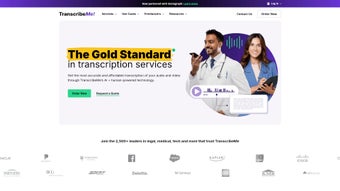

Download TranscribeMe – AI‑Powered Transcription Service, Secure & Accurate
TranscribeMe.com is a web‑based transcription platform that blends cutting‑edge artificial intelligence with a global network of trained human transcribers to deliver fast, reliable, and highly accurate text conversion. Whether you need to turn legal depositions, medical notes, academic lectures, corporate meetings, or podcast episodes into searchable documents, TranscribeMe offers a scalable solution that adapts to the complexity of the source material. The service distinguishes itself through a dual‑layer workflow: an AI engine performs an initial pass, dramatically reducing turnaround time, while a human editor reviews and perfects the output to meet industry‑specific standards.
Security is baked into the platform—data is encrypted both in transit and at rest, and the service complies with HIPAA, GDPR, and other regulatory frameworks, making it suitable for highly sensitive environments such as healthcare providers, law firms, and universities. Pricing is transparent and tiered, allowing businesses of any size to select a plan that aligns with their budget and accuracy requirements. In addition to transcription, the platform provides translation, data annotation, and workforce‑management tools such as geofencing, giving organizations a single hub for all speech‑to‑text needs.
This comprehensive approach has earned TranscribeMe a reputation as a trustworthy, cost‑effective alternative to traditional transcription agencies, while also offering developers the flexibility to embed transcription capabilities directly into existing applications via a robust API. The combination of speed, accuracy, and security positions TranscribeMe as a leading choice for professionals who demand both quality and compliance.
Key Features & Benefits
- Hybrid AI‑Human Engine: Combines rapid machine transcription with human quality control for up to 99 % accuracy.
- Industry‑Specific Solutions: Tailored workflows for legal, medical, education, and media sectors.
- Secure Data Handling: End‑to‑end encryption, HIPAA‑compliant storage, and GDPR‑aligned privacy policies.
- Multilingual Support: Transcription and translation in over 30 languages, with native‑speaker review.
- Customizable Turnaround: Choose between standard (24‑48 h), expedited (within hours), or enterprise‑level SLAs.
- Geofencing & Workforce Management: Tag and monitor remote transcription teams for compliance and efficiency.
- API Integration: RESTful API enables seamless embedding of transcription capabilities into existing apps or LMS platforms.
- Transparent Pricing: Pay‑as‑you‑go and subscription plans, with volume discounts for large enterprises.
- Robust Reporting Dashboard: Real‑time analytics on project status, accuracy rates, and cost tracking.
- Continuous Model Updates: AI engine receives monthly improvements, ensuring better handling of accents and background noise.
Pros & Cons
- High Accuracy: Human review guarantees near‑perfect transcripts, especially for specialized terminology.
- Fast Turnaround: AI‑first processing delivers drafts within minutes; human polishing adds only a few hours for most files.
- Strong Security: Encryption, HIPAA & GDPR compliance, and role‑based access control protect sensitive data.
- Scalable Pricing: Pay‑as‑you‑go options suit freelancers, while volume discounts benefit large organizations.
- Extensive Language Support: Over 30 languages and dialects, with native speaker review where needed.
- Internet Dependency: As a cloud‑only service, you need a stable connection; offline work isn’t possible.
- Cost for Premium Human Editing: High‑accuracy human editing can be pricey for very large volumes.
- Learning Curve for API: Developers may need time to integrate the RESTful API and manage authentication tokens.
- Limited Desktop App: No native desktop client exists; power users must rely on the web interface.
- Audio Quality Sensitivity: Extremely noisy recordings may still require manual correction despite AI preprocessing.
Frequently Asked Questions
Is TranscribeMe suitable for HIPAA‑covered entities?
Yes. TranscribeMe is fully HIPAA‑compliant. All data is encrypted in transit and at rest, and the platform offers Business Associate Agreements (BAAs) for healthcare providers.
How does the pricing structure work?
TranscribeMe offers a per‑minute rate for AI‑only transcription (starting at $0.10/min) and a higher rate for human‑edited output (starting at $0.25/min). Subscription plans provide discounted rates for monthly volume commitments.
Can I integrate TranscribeMe with my existing workflow?
Absolutely. The platform provides a RESTful API, webhooks for real‑time notifications, and native plugins for popular LMS and CRM systems.
What file formats are supported for upload?
TranscribeMe accepts audio and video files in MP3, WAV, MP4, MOV, AVI, and FLAC formats. Files up to 2 GB can be uploaded directly; larger projects can be split or transferred via cloud storage links.
How secure is my data after transcription?
All transcripts are stored on encrypted servers with role‑based access controls. Users can set retention policies, and data can be permanently deleted on request.
Getting Started: Installation, Usage & Compatibility
Because TranscribeMe is a cloud‑native service, there is no traditional software to install on a local machine. Users simply create an account on the TranscribeMe website, upload audio or video files, select the desired service level, and receive a downloadable transcript once processing completes. The web portal is optimized for modern browsers such as Chrome, Firefox, Safari, and Edge, ensuring a consistent experience across desktop and mobile devices.
Step‑by‑Step Setup
- Create an Account: Visit TranscribeMe.com and sign up using an email address or single‑sign‑on (SSO) with Google or Microsoft Azure AD.
- Verify Your Identity: For HIPAA‑covered entities, complete two‑factor authentication and upload required compliance documents.
- Upload Media: Drag‑and‑drop files up to 2 GB each, or connect cloud storage (Google Drive, Dropbox, OneDrive) for bulk imports.
- Choose a Service Tier: Select “AI‑Only,” “Human‑Edited,” or “Hybrid” based on your accuracy and turnaround needs.
- Configure Settings: Set speaker identification, timestamps, and any custom glossaries for industry jargon.
- Submit & Track: Hit “Start Transcription” and monitor progress via the dashboard; receive email notifications when the transcript is ready.
- Download & Integrate: Export results in .txt, .docx, .pdf, or JSON format; use the API key to push results directly into your CRM or LMS.
Supported Operating Systems: Since the service runs in the browser, it works on Windows 10/11, macOS Monterey and later, Linux distributions with modern browsers, as well as Android 8.0+ and iOS 13+. The mobile apps (available on Google Play and the Apple App Store) provide on‑the‑go uploading and transcription monitoring, ensuring you can capture field interviews or classroom recordings instantly.
For enterprises that require deeper integration, the TranscribeMe API can be called from any platform that supports HTTPS requests, including server‑side languages like Python, Node.js, Java, and .NET. The API documentation includes sample code snippets and authentication via API tokens, making it straightforward to embed transcription capabilities into custom applications, e‑learning portals, or telehealth solutions.
Conclusion: Why TranscribeMe Is the Smart Choice for Modern Transcription
In an era where content is king and speed is essential, TranscribeMe delivers a balanced blend of artificial intelligence and human expertise that few competitors can match. Its rigorous security standards, compliance certifications, and multilingual capabilities make it a versatile tool for any industry that handles sensitive audio data. While the service does require an internet connection and may carry higher costs for premium human editing, the trade‑off is a dramatic reduction in manual labor and an assurance of near‑perfect accuracy. For legal firms needing verbatim deposition transcripts, medical professionals seeking HIPAA‑safe note conversion, or educators turning lecture recordings into searchable study guides, TranscribeMe provides a reliable, scalable, and cost‑effective solution.
Ready to streamline your workflow and boost productivity? Sign up for a free trial today and experience the power of AI‑enhanced transcription combined with human precision. Whether you’re a solo freelancer or part of a global enterprise, TranscribeMe offers the flexibility, security, and performance you need to turn spoken words into actionable text—fast.
Overall Rating: 4.7 / 5



.png)



